
All Salsaville videos are sold on

and via:
DIGITAL DOWNLOAD
All Salsaville videos are sold on
and via:
DIGITAL DOWNLOAD
Click
here to read satisfied customers' comments about the DVD's

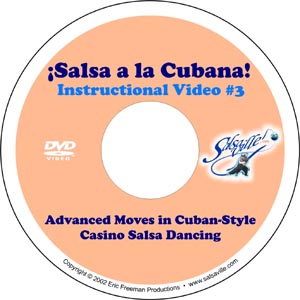
These DVD's have been carefully designed to make it extremely easy to navigate throughout the video to quickly find and watch any part of the video.
This is a fully featured DVD. There are chapter points at the beginning of every move, routine and demo. So by using your "next" and "previous" button on your remote control you can jump from move to move.
Also, these DVD's have a full menu system, with each move, routine and demo fully indexed. So by using your arrow keys on your remote control you can select to jump to any part of the video. This is especially useful when you are practicing a few moves and want to immediately jump to those moves.
The DVD's will work in both your set-top DVD player so you can see it on your TV, and on your computer if you have a DVD-ROM player. You will be able to easily pause the video, go frame-by-frame (forwards or backwards), and watch everything in slow motion. If you have a laptop computer, you can take it to the dance studio with you to watch the moves there.
If you have a computer at work ........ WARNING: Watching salsa dance videos at work can be very dangerous to your career health and is in no way endorsed by Salsaville.com.
These DVD's are "Region Free." This means that they are not encoded for a specific region of the world, so you don't have worry about your DVD player not playing these discs.
A Short "User's Manual" to the DVD's
There are two "menu" buttons on a DVD remote control. The "Top Menu"/"Title"/"Title Menu" button (these are different names of the same button as they are called different things on different DVD players -- typically the button on the left) will bring you to the video's main menu. The "Menu"/"Root Menu"/"Disc Menu" button (typically the button on the right) will bring you to the video's first moves menu.
When you first insert the DVD into your player a two minute intro will play and then you will automatically be brought to the main menu. You can skip this intro and go right to the menu of your choice by pressing one of the two menu buttons.
There are two basic ways to navigate throughout the video:
1. You can use the "Next" and "Previous" buttons on your remote control (or DVD player software while on your computer) to jump forward (or back) to the beginning of the next move (or routine). So if you're watching, say Move #16, and want to see it from the beginning again, just hit the "Previous" button once. If you want to quickly get to Move #18, just hit the "Next" button twice.
2. You can use the Menu system ("Moves Index I") we designed (see image below).
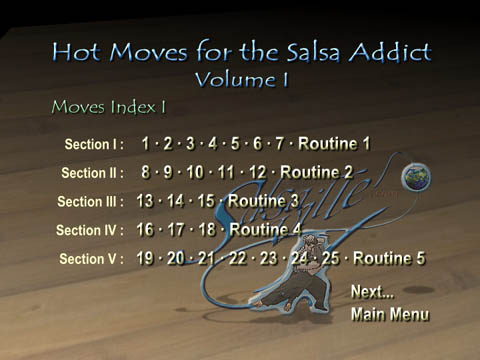
Simply move the cursor to the move number you want to see, and hit "Enter" or the "Play" button on your remote control and you will immediately be brought to that move.
When you want to see another move, simply hit the "Menu"/"Root Menu"/"Disc Menu" (typically the button on the right) and you will be brought right back to "Moves Index I."
For "Hot Moves for the Salsa Addict, Volume I" there are two "Moves
Index" pages.
For "Hot Moves for the Salsa Addict, Volume II" there are three "Moves
Index" pages.
If the move you want to see is on "Moves Index II" page for example you can click on the "Next ..." button on the menu. However, to make it easier for you, we made the "Next" and "Previous" buttons on the remote control do the same thing. So if you are studying moves that are accessed through the second "Moves Index" page while watching the video, just hit the "Menu" button and then the "Next" button and you will be brought to "Moves Index II" page.
Of course you can always just let the video play the whole way through
if you like ...